Tying Python and QtQuick Together
Connecting the core functions to the interface and debugging.
The weeks between Thanksgiving and New Year’s are always a tricky time for keeping momentum. I had to be deliberate about building the code-base instead of doing more research or taking more courses.
Pulling Back the Curtain
Since my last update I’ve done a couple more Qt Academy courses, which have been helpful even as I wish they were more detailed.
But most of my time has been working on the behind-the-scenes logic in Python. I have the database with connections between the three levels of a Kanban board, boards -> columns -> tasks; along with all of the Create, Read, Update and Delete (CRUD) steps needed for a robust backbone to the program.
Then I focused on the core feature of the Pull logic - so that when you finish a task it’s seamlessly replaced with the top item from your To Do column. I’m excited to try this out in particular, and see if there are any improvements available.
Toiling in the Mines
I finally reached the point of merging the QtQuick GUI (the face) with the Python backend (the brain).
I spent yesterday working on a core problem, getting the data in Python over to the QtQuick interface and viewable as buttons. The first steps seemed easy enough, and I had very basic communication from Python to the GUI going very quickly.
But I ran into a hitch trying to get my test information to show up. I ended up spending most of the day debugging this issue, verifying the data was being sent correctly and then determining why it wouldn’t display. I’ll be honest, it got a little frustrating. But working through this sort of thing is perhaps the single most important task to get working tech out the door.
One thing I think is worth calling out: when I used LLMs yesterday to help with debugging, I noticed that they tend to spiral - repeating the same steps with small variations. Because each round was a bit different, I genuinely felt like I was making progress. Only later did I realize I was looping. This mismatch between how it felt and what was actually happening is something future-me (and maybe you) needs to be aware of and ready to counter.
Breakthroughs
In the end I got the connection to work, and my test data moving from the Python backend over to the QtQuick GUI. With that as the template it should be much easier to get all of the other pieces to fall into place.
Here’s a screenshot of the first draft for how things look:
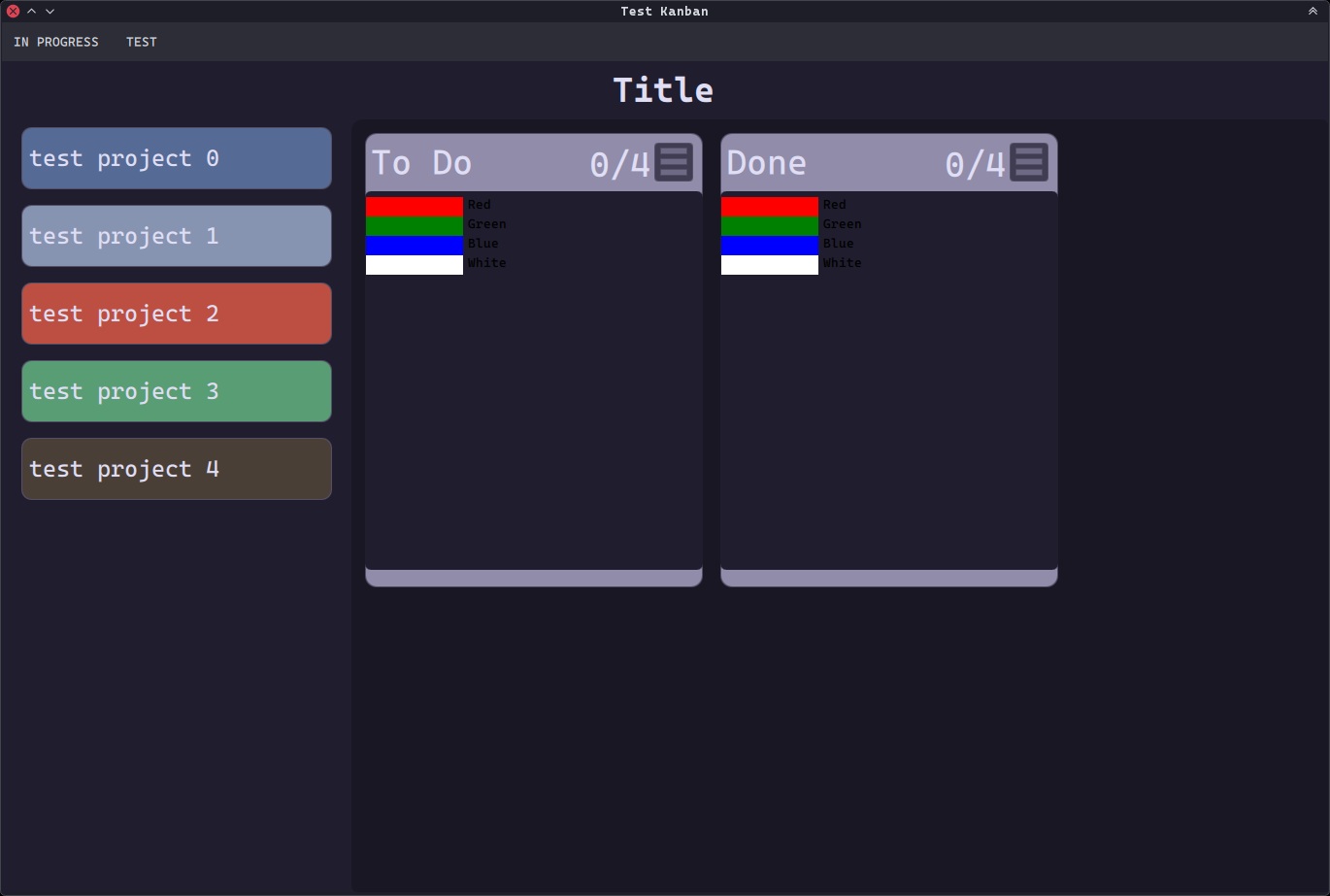
Exciting times as we speed toward a MVP (Minimum Viable Product) release.
Takeaways
When working on a complex project, you will run into parts that are more complicated or slower than you expected. When that happens, it can be useful to shift your focus onto another area or take a short break if possible. As long as you’ve done the foundational work, this can give your mind time to incorporate everything you’ve learned and process the problem subconsciously. Meanwhile you’re building momentum instead of becoming frustrated or demoralized from lack of progress. And when you come back with fresh eyes chances are you’ll have ideas on how to fix the problem which move you forward.
Next Time
Barring unforeseen issues, I think that next time I’ll be ready to talk about the initial working release.
Photo Credit: Photo by Damien TUPINIER on Unsplash